Private Apps and granular OAuth scopes

How I replaced account-wide API keys without making anyone reinstall.

2019 to 2022

  • Shipped
  • Full version is private
Role
Concept owner and designer for Private Apps, and lead designer for granular scopes
What it is
Scoped tokens for HubSpot's APIs, and a migration that needed no reinstall
Result
More than ten thousand apps moved to least-privilege scopes with no reinstall.
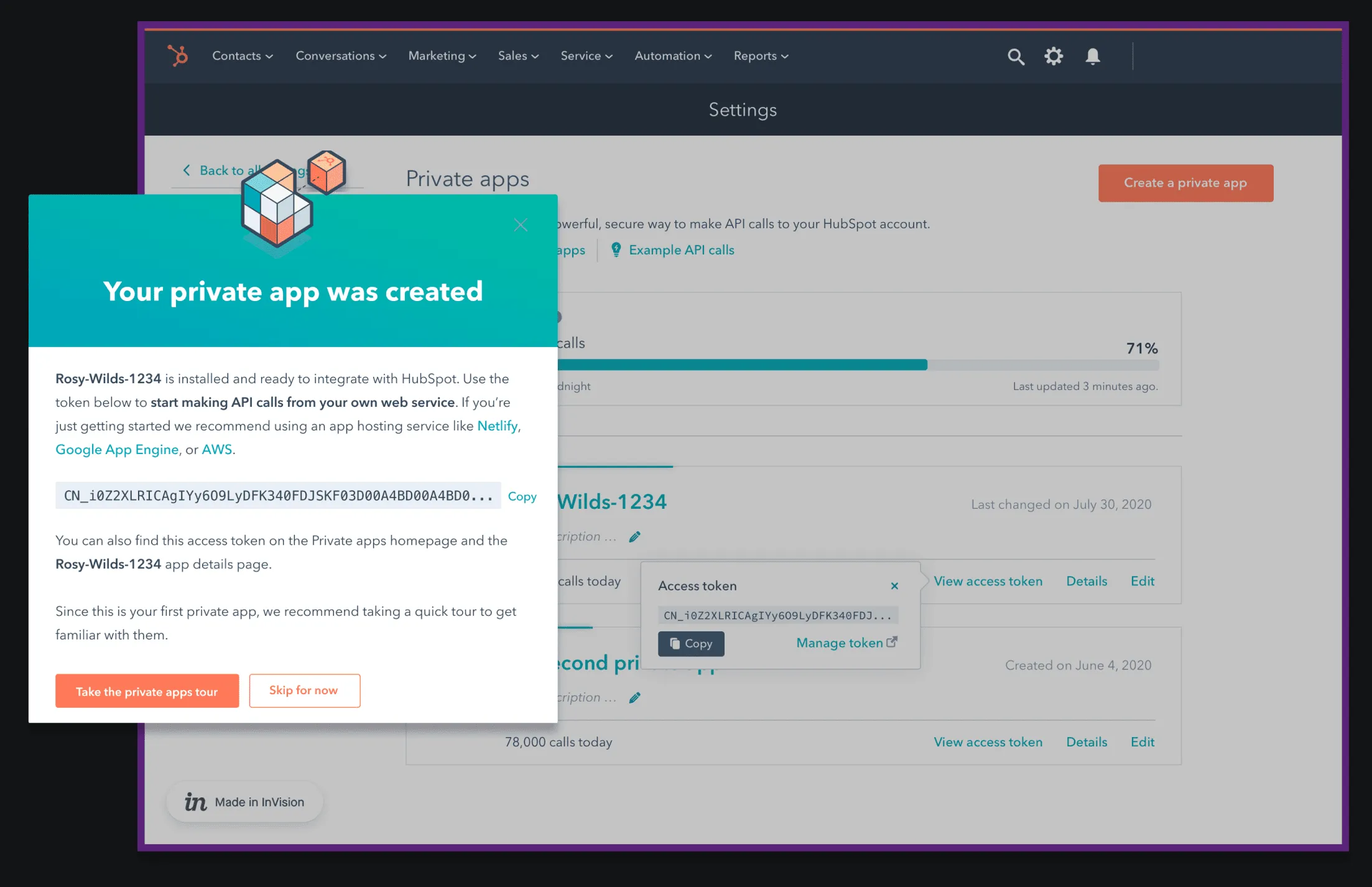
A prototype of the Private apps settings page. A dialog says Your private app was created, shows the new access token with a Copy button, and offers a tour.
The end of setup in the first Private Apps prototype. The token is ready to copy, about as fast as an API key. Private Apps went live in November 2021, and developers created nearly 7,000 active ones. Names removed. View full size: A prototype of the Private apps settings page

In 2019, many customers connected with API keys, and one key opened the whole account. OAuth was safer but meant building a public app. Private Apps closed the gap: one account, its own token, only the access it needs, and a setup as quick as copying a key.

HubSpot stopped new API keys in July 2022 and shut them off that November. Key-based API traffic fell by more than 99.9%.

Granular scopes

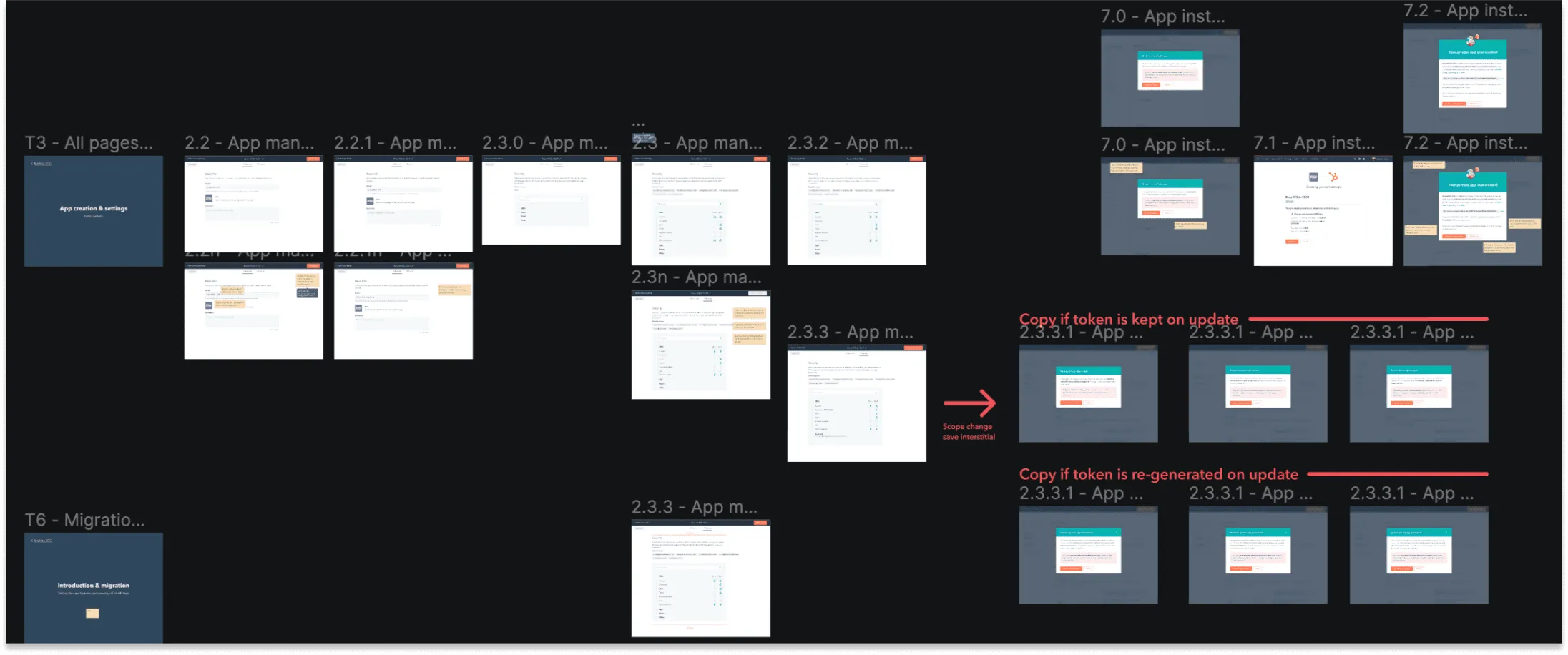
A Figma canvas of the private app flows. Frames for app management and app install sit beside two rows of dialogs with notes in red. One row is for a token that is kept on update and one is for a token that is made again on update.
The create, manage, and update flows. The two rows on the right compare the words for a kept token and a new token after a scope change. View full size: A Figma canvas of the private app flows
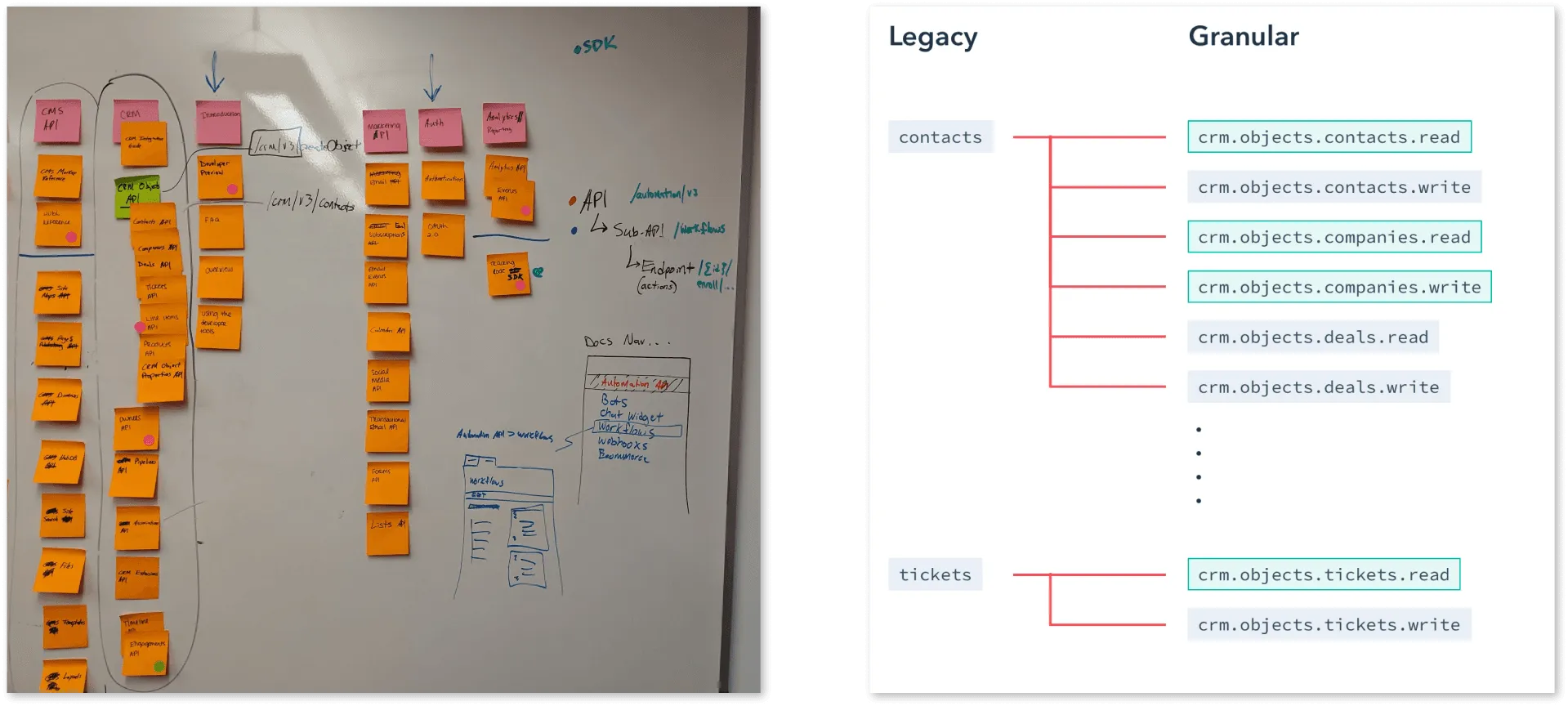
On the left, a whiteboard with sticky notes that sort API names into groups. On the right, a diagram that maps the legacy contacts scope to read and write scopes for contacts, companies, and deals, and the legacy tickets scope to read and write scopes for tickets.
From a whiteboard sort of the APIs to the new structure. One legacy scope becomes read and write scopes named for the data, and each name follows its API path. View full size: On the left, a whiteboard with sticky notes that sort API names into groups

One scope covered most of the CRM. I proposed names for the data, with a rule that every scope name maps to its API path, so other teams could add scopes without waiting on me.

How it was built

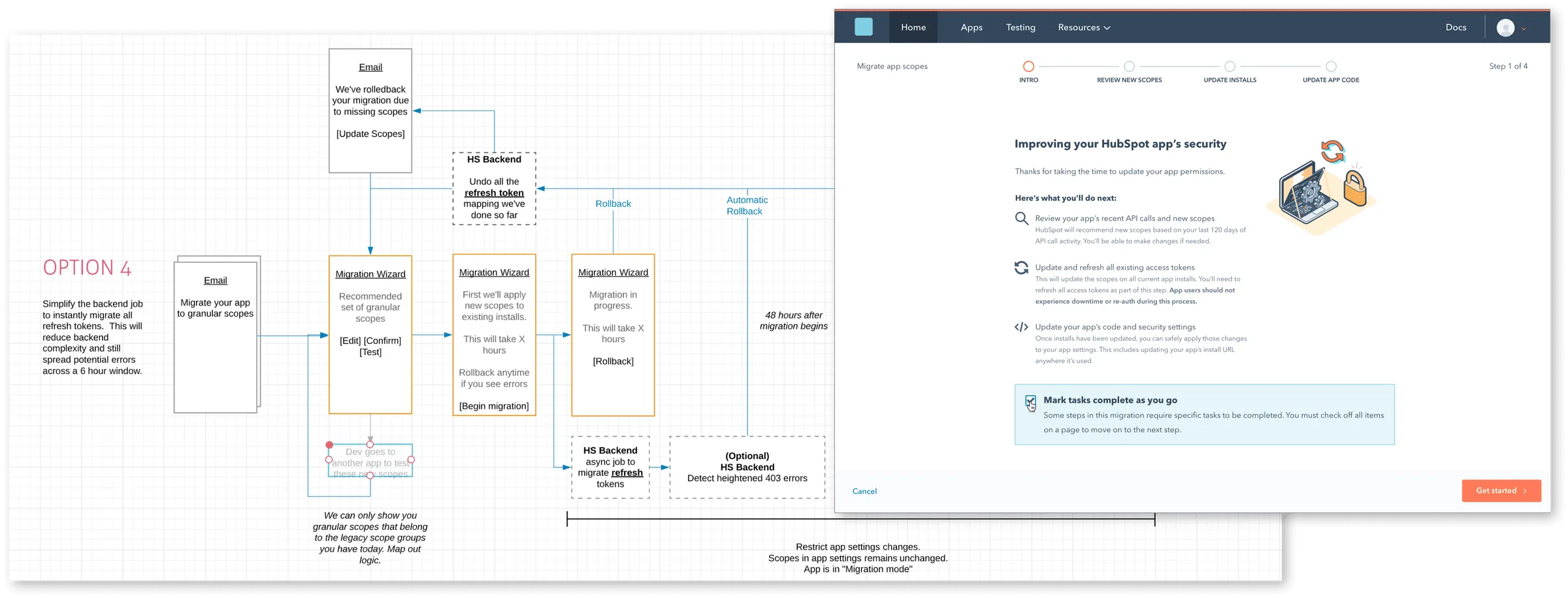
A flow diagram named Option 4 for the scope migration, with steps for the email, the migration wizard, the backend jobs, and rollback. The first screen of the wizard, Improving your HubSpot app's security, overlaps it.
One of the migration options as a flow, with rollback paths, and the first screen of the wizard that came from it. The migration ran in November 2021, and the old contacts scope was removed in July 2022. View full size: A flow diagram named Option 4 for the scope migration, with steps for the email, the migration wizard, the backend jobs, and rollback
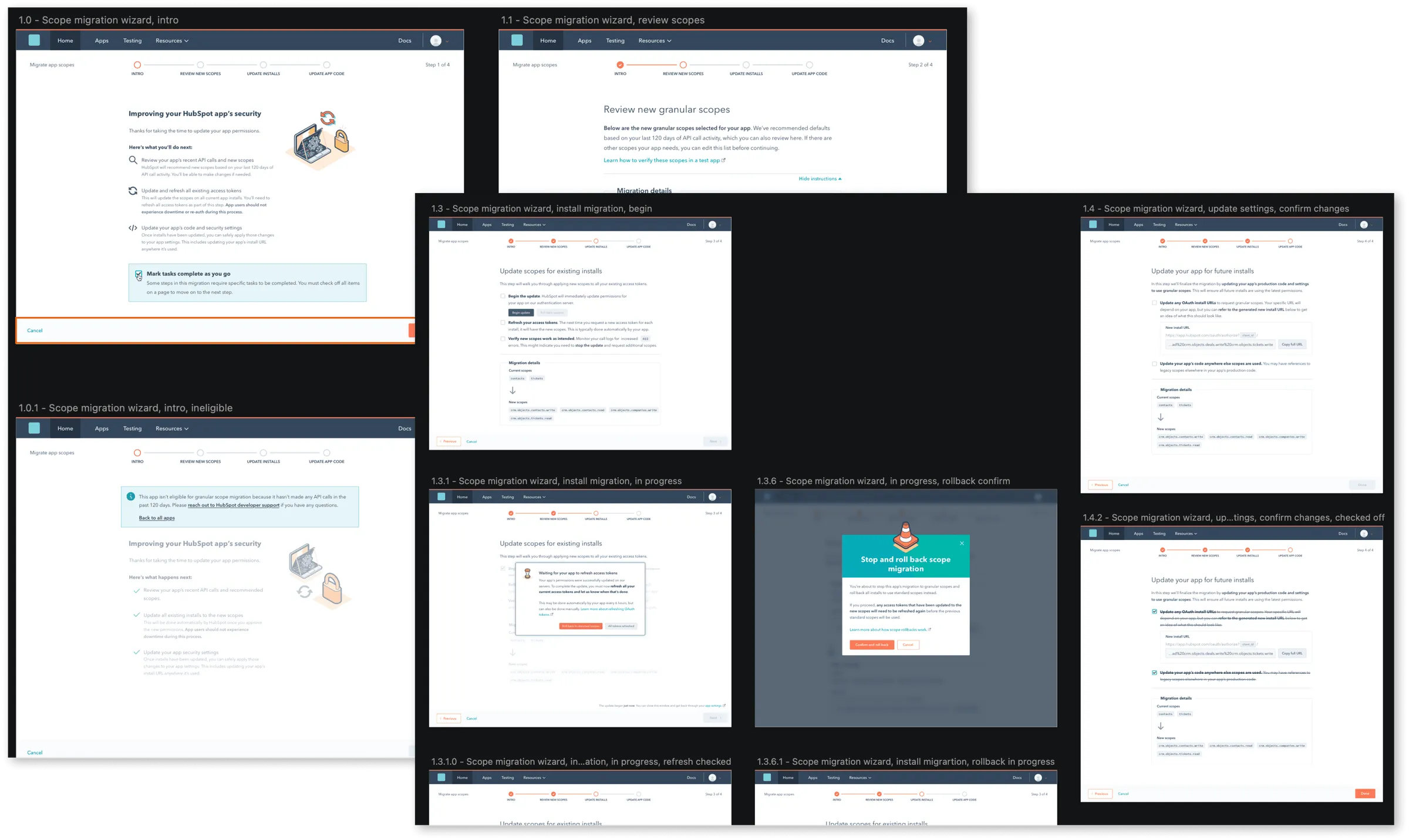
Design frames for each step of the scope migration wizard. They show the intro, a review of the new granular scopes, the install migration, a confirm step, an in-progress state, and a dialog to stop and roll back.
Every step has a Cancel link, and the install step has a Stop and roll back dialog that asks for confirmation before it undoes the migration. View full size: Design frames for each step of the scope migration wizard

The wizard reads what each app actually calls and recommends the scopes it needs. More than ten thousand apps moved with no reinstall.

The full version, with the numbers, is on a private page. Ask me for access.